3G Unrestrictor 5Your mobile internet freedome!

iPhone app which tricks applications into believing they are on WiFi even though they are on a mobile 3G connection to allow things, which usually only work on WiFi. This allows you to use FaceTime, Photo Stream, iCloud backup, watch high quality YouTube videos as well as many other things on a mobile 3G connection.

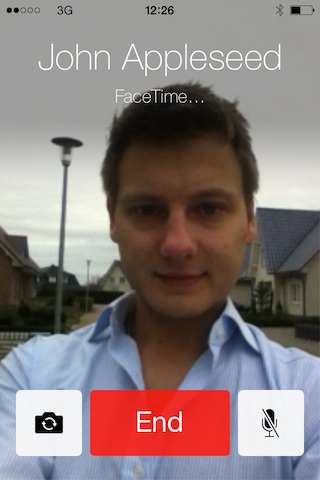
  • FaceTime on 3G

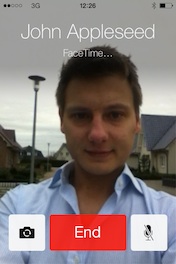
    FaceTime is incredible, it's easy, it's convenient, it just works! But... it "just works" only on WiFi! If you, like many, want to see your loved ones while on the go, 3G Unrestrictor is the solution!

    Make and receive calls wherever you are!

  • iCloud on 3G

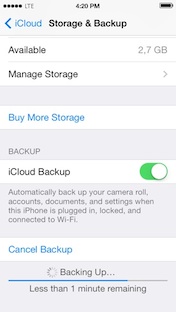
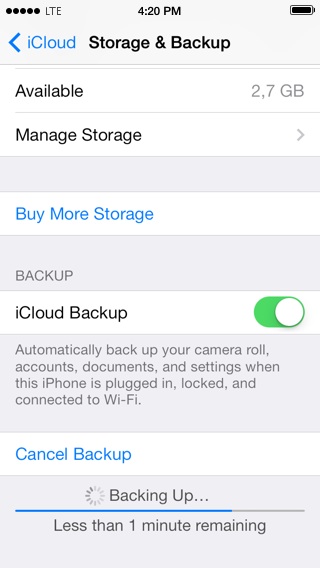
    Get the added security and peace of mind knowing that your iPhone or iPad will back up to iCloud on 3G wherever you are without you having to do anything. If something happens to your device - at least your data is safe!

    And of course the same goes for your pictures! There is no reason for you having to wait for a WiFi network to wirelessly copy all of your shots to your computer or other devices!

  • YouTube in high quality on 3G

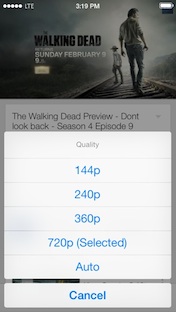
    YouTube is usually a lot of fun, but unfortunately Apple spoils the fun on the go with terrible, low resolution video!

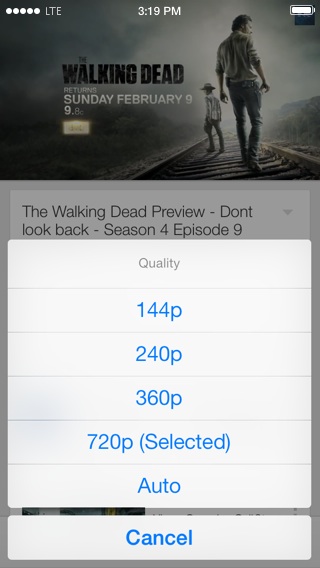
    3G Unrestrictor allows you to choose whether you want to see your videos in high, medium or low quality! By default it will show videos on WiFi in high, on 3G in medium and on EDGE/GRPS in low quality.
    But it gives you full flexibility to choose - You can set it up to show videos in any quality you like for any of those connection types!

    And if your 3G connection is usually fast enough for high quality videos, but you have bad reception temporarily, just use the SBSettings toggle to quickly switch it into medium or low quality!

  • Big downloads on the App Store and iTunes Store

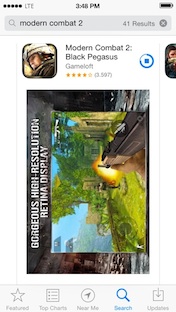
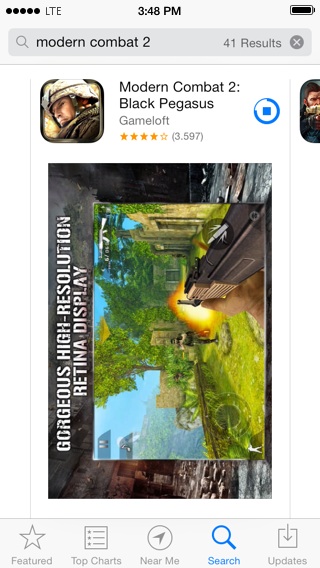
    Have you ever browsed the App Store and found a really amazing game or app, which you couldn't wait to download and try? Chances are you got massively disappointed by being pointed to the 20MB size limit of the App Store. With 3G Unrestrictor you will be able to download any app or game of any size from the App Store!

    The same thing goes for the iTunes Store of course too! Download all your favourite music, podcasts and TV shows while on 3G!

  • Online Games on 3G

    If you love online games and you want to play without being tied to your home and WiFi network, you will love 3G Unrestrictor.

    It gives you the opportunity to enjoy all your favourite games like Order and Chaos or Modern Combat anywhere you are using your 3G connection.

  • 3rd Party App Support

    Due to the flexible way 3G Unrestrictor was designed, it works on almost all 3rd party apps that add an artificial limitation on what you can do on 3G. If your favourite online streaming app does not allow you to watch your program on 3G, the chances are high 3G Unrestrictor can help you with that!

    One popular example is Audible - With the help of 3G Unrestrictor you can download new audio books wherever you are!

  • SBSettings Toggles

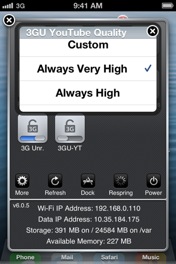
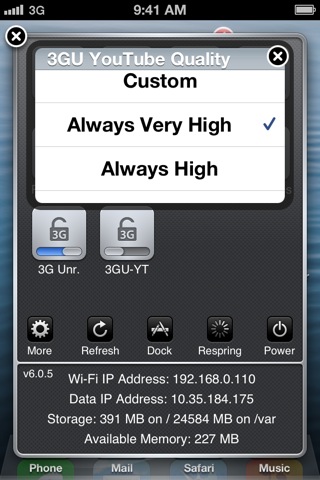
    3G Unrestrictor comes with two SBSettings toggles to allow you to quickly enable and disable it, as well as change YouTube quality settings.

    You can pick whether you want 3G Unrestrictor to pick the quality best for your current internet connection, use your custom settings or make it always use high, medium or low quality.

  • Easy to use

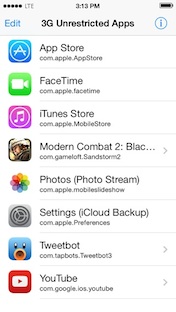
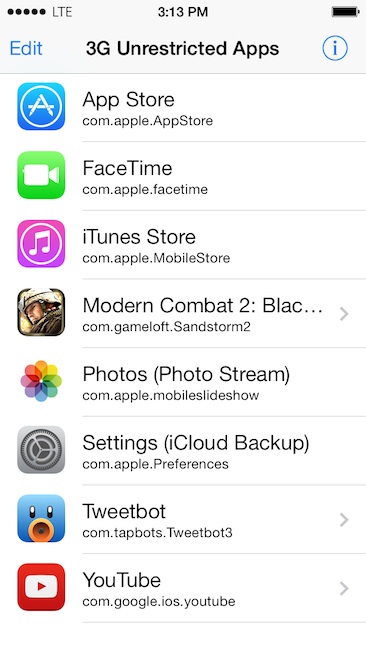
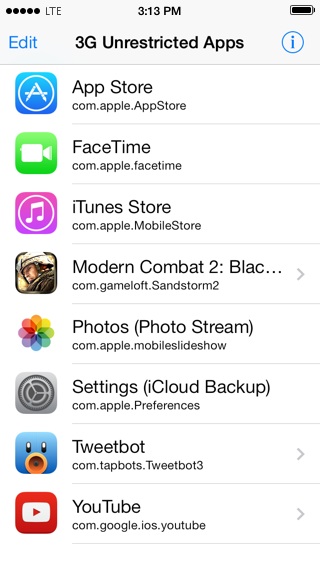
    Using 3G Unrestrictor could not be easier - After installing just start the configuration app and select all the applications you want to be unrestricted. Some applications have extra settings, which you can setup by pressing the little arrow next to them.

  • Technical Data

    Supported Devices Jailbroken iPhone, iPhone 3G, iPhone 3GS, iPhone 4 and iPhone 4S
    Jailbroken iPad and iPad 2
    Supported Firmware Jailbroken iOS 4.x and 5.x
    Notes FaceTime on 3G and medium quality YouTube setting require iOS 4.1 or higher

Version History

3G Unrestrictor 5.0.1

  • FixediCloud backups not working if Photo Stream is not enabled
  • FixediCloud backups enabled if Photo Stream is enabled
  • MiscChanged support email address
  • MiscITV Player (UK) isDirect setting is enabled by default

3G Unrestrictor 5.0

A major update with a completely rewritten core and many new features.

  • New Photo Stream support
  • New iCloud Backup support
  • New Ability to choose YouTube quality for WiFI / 3G / EDGE
  • New SBSettings YouTube toggle to quickly select the desired quality mode
  • New Completely rewritten core - even more reliable
  • Usage

    Once you install 3G Unrestrictor, you will have the app icon on your home screen. To use it, just start the config app and press the edit button, followed by the + button. Any app you add in the following screen will be able to use the internet on 3G without any restrictions.

    Note: You can add any app you want, but only apps that are somehow restricted on 3G, will behave differently.
    Adding mail to the list for example, will not do anything, since it has the same capabilities on 3G and WiFi.
    But adding the audiobook app "Audible", will allow you to download books bigger than 20MB on 3G, which usually only works on WiFi!

  • Debugging

    If you email me about a problem and I need more information to help you, you need to enable the debug mode and send me the log file.
    To do that tap the info button in the upper right corner of the 3G Unrestrictor config app and then set the setting "Debug logging" to on.

    The next step is enabling the saving of those logs to the iPhone. Go to Cydia and install the package "syslogd to /var/log/syslog" and reboot your iPhone.

    After enabling those things, please start and then quit the 3G Unrestrictor config app and then do what is causing you problems. If, for example, some app is not unrestricted correctly and is showing you the message that it needs to be on WiFi, start it and make it show that message.

    After that transfer the file /var/log/syslog to your computer. The easiest way to do that is using the application DiskAid, which you can download for free for Windows and Macs at www.digidna.net/diskaid/.

    Then send this log with a detailed description of your problem to support@3GUnrestrictor.com. In your bug report, answer those questions:

    • What are you doing?
    • What are you expecting to happen?
    • What does actually happen?

    After reporting your problem do not forget to disable the debug logging option
    Warning: Letting the debug log option enabled will make the iPhone output a lot of information. This could fill up the iPhones hard drive and cause battery drain. Do not enable this option, until its really needed (Most of the time only if I tell you to enable it).

  • How does 3G Unrestrictor work?

    3G Unrestrictor loads itself into every application that you setup to be unrestricted and then modifies it to make it think it is on a WiFi network, even though it is on 3G.

    • The application asks an iPhone function "What kind of connection am I on?".
    • Normally the function would answer "You are on a 3G connection!".
    • But since 3G Unrestrictor modified it, it always answers with "You are on WiFi!"

    All it does is tell the iPhone and the unrestricted apps it is on WiFi even though it is on 3G!

  • Can I use mobile internet for free without having a plan with 3G Unrestrictor?

    No, you cannot! Please read the first FAQ question to understand how 3G Unrestrictor works! To be able to use it you will need a working mobile internet plan. It allows you to do things that usually only work on WiFi, but not on 3G.

  • If I use 3G Unrestrictor, will my mobile data usage be reduced?

    No, your mobile data usage is calculated at your provider's side. 3G Unrestrictor cannot change that and you will still be billed for everything you use!

  • Will 3G Unrestrictor increase my mobile internet speed?

    No, 3G Unrestrictor does not make your 3G or EDGE connection faster. All it does is tell the iPhone it is on WiFi even though it is on 3G!

  • If I am on WiFi and 3G Unrestrictor is enabled, will the data still go through 3G?

    No, 3G Unrestrictor does not change whether WiFi or 3G is used and everything will work as always!

  • Can I use 3G Unrestrictor with my iPod Touch to use the internet without a WiFi connection?

    No, this is impossible, since the iPod Touch does not have any mobile network connectivity!

    The only thing you could use 3G Unrestrictor on an iPod Touch for is adjusting the quality of YouTube videos on WiFi. You could for example select medium or low quality if you are on a very slow WiFi connection!

  • Does 3G Unrestrictor drain the battery or do anything in the background?

    No, 3G Unrestrictor does not do anything in the background and does not drain any battery. Please read the first FAQ question to understand how 3G Unrestrictor works!

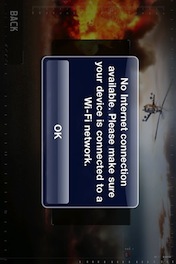
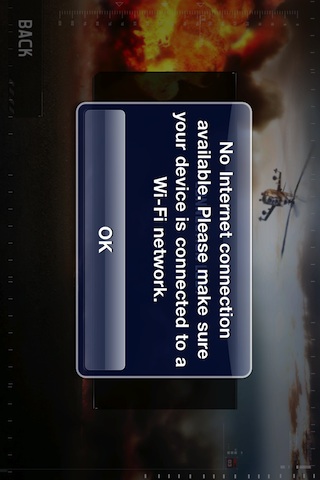
  • Why am I getting an error message telling me to connect to a WiFi network when I try to make a FaceTime call?

    Please check if you added FaceTime to your unrestricted list in the config app and that you did not accidentaly turn 3G Unrestrictor off! Please refer to the "usage" section for more information.

  • Why is my FaceTime call failing?

    If your iPhone lets you initiate a FaceTime call on 3G without showing you an error message about connecting to WiFi, it usually means 3G Unrestrictor did it's job correctly.

    Unfortunately a FaceTime call can still fail due to a too slow internet connection on your or your partners side. Mobile network connections can be too congested or the coverage can be too bad to support a FaceTime call. In that case please try moving to a different location with more bars and try again.

  • I bought a new phone or reinstalled the software of my current iPhone, how can I transfer my license?

    Please do the following steps:

    • Open Cydia and find 3G Unrestrictor in it
    • Press the "buy" or purchase" button
    • Login with EXACTLY the same google or facebook account that you used when you bought 3G Unrestrictor.
    • If it is a new device, which is not linked to your account yet, you will have to press "Link Device to your account"
    • If you had purchased 3G Unrestrictor with the same account that you used just now, you will be able to download it for free again. Otherwise it will ask you to pay. Many people have multiple google and facebook accounts, please try the other ones.
  • 3G Unrestrictor - Press Kit

    Download press material using the links below. All images and press release can be freely used for press purposes. If you need more material please request.

    Download all files: zip
    Press release: pdf doc rtf txt
    Screenshots: zip
    App Icons: zip